Semantic vs Heuristic Code Graphs for AI Agents
This article compares three different approaches to building context for coding agents: the baseline grep/ripgrep approach most agents still use today, semantic graphs (LSP- or compiler-based) and heuristics-based parser graphs (tree-sitter). We evaluate which of the approaches produces the best context for Coding Agents like Claude, Cursor, Codex or Github Copilot.

Imagine you run a prompt through two strong coding agents side-by-side. One lands a safe refactor across multiple files. The other introduces a bug because it missed a hidden dependency in the codebase.
This workflow is already quite a familiar pattern. Because models tend to make mistakes, we're already letting them run in parallel to have a higher chance of hitting an error-free run. In these scenarios, often the model gets blamed for just not being good enough, but the bigger variable is usually context quality.
When you rely on agentic exploration during planning or ad hoc during execution, you get confident answers based on the files your agent decided to have a look into. While models are becoming stronger day by day (cough Opus 4.7 cough), they still make mistakes. And mistakes during exploration mean your agent is missing a potentially crucial piece of the puzzle.
This article compares three context strategies coding agents or harness tooling uses today: the native grep/ripgrep exploration loop most coding agents are already equipped with, heuristic parser-derived graph tooling (tree-sitter et. al.), and semantic graph tooling grounded in language intelligence (LSP or SCIP, or generally compiler-level language intelligence). You will see where each approach is genuinely useful, where each tends to fail, and how Context Master positions itself in that trade-off.
Why Code Graph Quality Is the Real Bottleneck

Why smart models still fail on weak context
Modern coding models are good at local reasoning but not yet completely error-free when it comes to discovering missing project structure on their own.
When agents read files, the models behind them are by now mostly smart enough to reason about the connections that the source code exposes. Imports reveal the next possible avenues of exploration. However, source code and the syntax different languages employ are sometimes ambiguous and implicit connections exist (think type-inference in Typescript).
We're basically expecting our models to be perfect compilers; to have inherent knowledge about every language and its quirks. Maybe we'll get to such a point in the future, but the general problem is still, that when repository complexity rises, so does the error rate of agents that rely solely on text-based exploration.
As engineers, we always strive to solve ambiguity by making things more deterministic, so let's apply that same principle to our agents.

Three Ways to Build Context for a Coding Agent
Grep/ripgrep-first agentic search (native baseline)
In many coding-agent environments, grep/ripgrep plus file reads is the native exploration behavior. The agent runs this loop autonomously to discover candidate files, inspect snippets, and build a working hypothesis. This pattern is explicitly documented in mainstream agent tooling, sometimes it's being upgraded by a RAG layer (e.g. Cursor Semantic and agentic search), but mostly it's still the default.
This baseline still works surprisingly well. The huge surge in agentic engineering since model releases like Opus 4.5 and GPT-5.2 comes mostly down to the fact that these models are now good enough to produce viable results even though being limited to text-based exploration.
But, as relationship understanding is assembled step by step by the agent, the chance of mistakes (as well as the token cost) rises exponentially with project size and complexity.
Some setups augment this loop with embedding-based vector search which is a genuine upgrade for discovery. It allows the AI to find things that are multiple reading hops away from the current file, definitely improving efficiency. But vector search results can also irritate the model if they don't fit the task at hand leading to hallucinations.
Heuristic parser-derived graphs (tree-sitter etc.)
Heuristic approaches usually start from parser output, then enrich relations with matching and inference logic. Tree-sitter is widely used because it is fast and language-agnostic for syntax analysis (Tree-sitter).
This works very well to uncover the structural relationships between files but since it's all based on parsing and pattern matching, it's inherently limited in the types of relationships it can uncover. Since tree-sitter is not a compiler, it can only resort to matching strings and patterns in the source code to infer relationships like type inheritance etc.
The trade-off is clear: Speed over quality. The graph quality in the end depends on naming conventions (5 symbols with the same name - how should tree-sitter know which one is an actual reference of another symbol definition?), and language-specific edge cases. Some graph tools document these limits directly, including dynamic-language and resolution constraints (GitNexus Technical Architecture).

Semantic code graphs (compiler/LSP-grounded)
A semantic graph is built from language-aware systems that understand symbols, references, hierarchy, and definitions in context. In our regular IDEs (VSCode, IntelliJ, Neovim, etc.) this is mostly solved by language-servers providing data via the Language Server Protocol (LSP).
These offer the smart refactoring tools like "Rename Symbol", "Find All References" or "Go to Type Definition" that we as developers are used to and which were absolute staples of our pre-AI development workflows.
So why are we taking these mighty tools away from our coding agents? It must be because we sub-consciously still don't want them to be better than us, right? ;).
Of course, it's not just pure pettiness. It's because it's actually super difficult to create a system that provides compiler-level insights for coding agents and does so on a whole-project level. LSP is optimized for human editor interactions, language servers only resolve relations on demand, constantly compiling and refreshing their index in the background while still only exposing very precise tools mostly on symbol-level.
And of course there's a catch: your code needs to actually compile (or at least be in a state where the language server can do its job). A heuristic parser will happily analyze your half-broken refactoring branch, while a semantic graph might give you the silent treatment until the build is green again. That's a real trade-off, especially during the messy middle of a large refactor.
Whole companies have been built around the idea of solving code navigation on project- and even company-level. Sourcegraph, for example, has built this as an Enterprise service even before LLMs were a thing (Sourcegraph Code Graph). And now during the advent of agentic engineering, all of a sudden, the demand for such systems shoots through the roof.

The idea is pretty clear: If your LLM understands the runtime connections inside your codebase, it can reason on a whole different level about it, avoiding potential bugs before you even run the type-checking or build processes.
Practical Comparison
| Agentic Search | Heuristic Graphs | Semantic Code Graphs | |
|---|---|---|---|
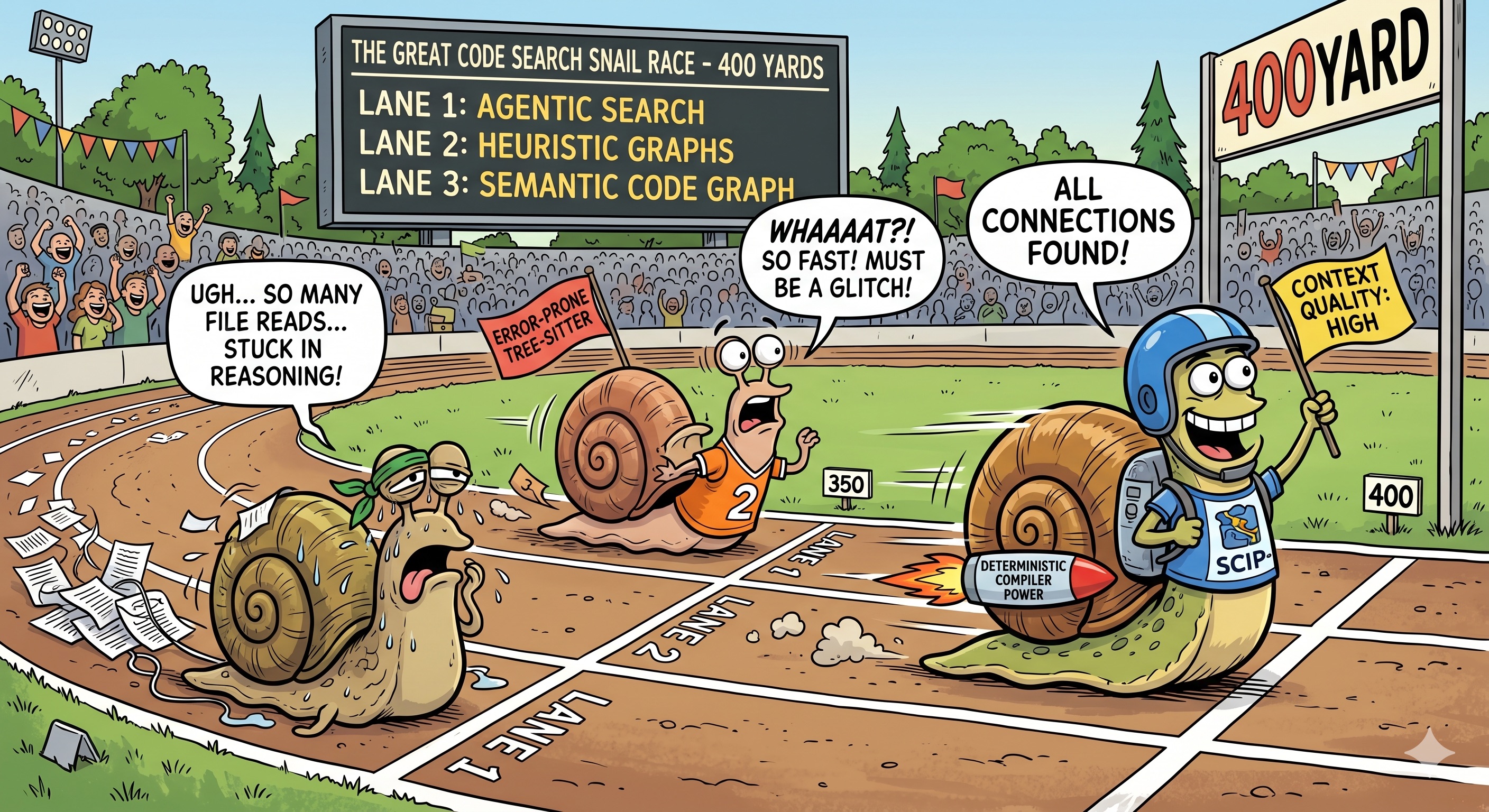
| Primary relation source | Subjective (Agent-based) [1] | Objective (Parser-based) [2] | Objective (LSP or SCIP-based) [3] |
| Discovered connections | Most - LLMs are getting smarter but still make mistakes or hallucinate | Mostly caller/callee relationships, error-prone due to heuristic matching approach | All - Compiler surfaces explicit and implicit connections |
| Language support | Any - Agent can read any file and any language - quality depends on pervasiveness in training data | Most - Tree-sitter can parse and is easy to set up for most languages | Most - LSP or SCIP provide compiler-level context for many languages but setup and orchestration is highly complex |
| Indexing speed | Instant - Code is saved to disk - no indexing needed | Fast - Tree-sitter's parsing engines really is extremely fast | Slow - Compiling the whole codebase is required before all connections can be made |
| Query speed | Slow - Agent reads whole files while looking for connections, reasoning after each step | Fast - Graph-implementation-dependent | Fast - Graph-implementation-dependent |
| Context quality | Medium - Getting better with model quality but still error-prone | Medium to High - Misses less important connections but still essentially string-based matching | High - Deterministic knowledge base without hallucinated connections |
| Token-cost | High - Agent reads whole files while looking for connections | Low to Medium - Heuristics-based matching could show irrelevant connections or miss other important ones | Low - Full determinism allows for Symbol-to-Symbol style navigation with almost no file reads |
[1] Agent decides which files to read and which connections to make - Quality hugely dependant on model capability
[2] Tree-sitter and tree-sitter-first architectures are widely used for structural extraction - Quality hugely dependant on heuristics accuracy
[3] LSP or SCIP provide compiler-level context - the highest quality data about your code available
Why Agent-first discovery is lagging behind
For coding agents, grep-first exploration is still a valid approach. LLMs are extremely good at using the CLI commands and are also getting smart enough to identify relations from reading surrounding code.
However, the agent still has to infer relationships from many local clues, and reliability can drop as system complexity rises. Additionally, agents have to make many tool calls and read a lot of files to build the relevant context for a task. A more deterministic and opinionated approach can save tokens and be more exact.
Where heuristic graphs plateau
Let's be fair: heuristic graphs are not useless. They're fast, they work on broken code, and they give you a graph when the compiler refuses to cooperate. That makes them a perfectly fine safety net.
But their ceiling is low. The sheer speed of tree-sitter-based parsing and the beauty of exploring the resulting graph visually obscure the fact that what you're looking at is still a product of regex and text-based matching algorithms. Parser-derived tooling often yields only an incremental gain over native grep-based agent exploration because they share the same fundamental limitation: no access to the compiler's source of truth.
Semantic graphs, on the other hand, have a much higher ceiling — but also a higher floor. Setting up compiler-level indexing across languages is genuinely hard.
Where semantic graph systems pull ahead
Backing your agent with a Semantic Code Graph, you're eliminating hallucinations where they hurt most: during discovery. Your agent might still choose a questionable strategy, but at least the connections it's looking at are real.
Semantic-first systems deliver compiler-based connections between nodes and provide dependency edges, type hierarchies and class inheritance relationships. That's the kind of context that turns an agent from an eager junior developer into a well-informed collaborator. Without this crucial context, it's basically impossible for your agent to make any informed guesses about the architecture of the codebase you're working on.
Why you should try Context Master
How Context Master builds deterministic semantic context
Context Master uses VSCode as a backend to build a semantic graph of your codebase. Under the hood, it talks to the same language servers your editor already runs — calling APIs like vscode.executeDefinitionProvider and vscode.executeReferenceProvider to resolve symbols, references and type hierarchies. If you've ever used "Go to Definition" or "Find All References", that's the same infrastructure, just automated across your entire project.
Language-support can be incrementally extended by installing the relevant VSCode extensions which provide language support to VSCode itself. Got a C# project? Install the C# extension. Rust? Same story. Context Master inherits whatever your editor already understands. The cool part is: There's even language support for things like Markdown, HTML or CSS if you install the right extensions.
The initial indexing does take time, however. There's no way around that when you're compiling relationships across a full codebase. But we're working hard on making this more performant and the graph is persisted to disk and reconciled incrementally on subsequent sessions. Only changed files get re-processed, so after the first run, startup is fast. For the elephant in the room: yes, this means VSCode needs to be running. But you can still use any Coding Agent with it because the extension exposes an MCP server for any tool like Codex, Claude Code, Cursor, Github Copilot, Roo, Cline or whatever to connect to. The trade-off is deliberate — you get the full power of production-grade language servers without maintaining any separate compiler infrastructure or having to manually provide the dependencies for a standalone system to work effectively.
The tools our MCP server exposes are opinionated and tailored for a proper workflow. We're not exposing myriads of different tools with slightly different angles. Instead, we expose only a handful of tools which serve very specific use-cases.
One to provide the LLM with an architectural overview of the codebase, one to provide symbol-level context. On top we added improved file-reading tools which present graph-metadata about the file and its contained symbols.
That's it. The overview tool and the symbol tool in combination are all your agent needs to build a mental map of the codebase and understand the relationships between symbols involved in it's current task.
What this means in real workflows
In practice, Context Master improves results the most in Plan mode because here is the point where missing or hallucinated context has the biggest detrimental effect. But also when debugging or answering questions about your codebase, deterministic code navigation is a huge enabler.
There's also the economics angle that's easy to overlook: an agent that can jump directly to the 5 relevant symbol definitions instead of reading 5 entire files to find them dramatically improves the signal-to-noise ratio of every context window. Fewer tokens wasted on irrelevant code means faster responses, lower cost, and — perhaps most importantly — more room in the context window for the code that actually matters.
The process remains the same. You still review the code. You still have to provide guidance and make decisions. The difference is that your agent will make fewer mistakes because its context is closer to runtime reality.
Try Context Master for free with daily limits on tool calls or just give the 14-day trial a whirl. Make sure to try it on a difficult task and compare outcomes against your current setup.
Be sure to let us know about any issues you experience or feedback you have. We're always looking for ways to improve Context Master and will keep working hard to create a tool that let's you focus on what's really important: creating cool stuff!

FAQ
What is the practical difference between semantic and heuristic code graphs?
Semantic graphs are grounded in language-aware symbol and reference systems, while heuristic graphs infer structure mainly from parsing and pattern matching. Heuristic graphs can help, but in many complex repositories they deliver only incremental gains over native grep-based exploration. Semantic graphs usually provide stronger traceability in complex codebases, which is why Context Master favors that deterministic path.
Is grep or ripgrep still useful for coding agents?
Yes, and in many agent setups it is still the native default exploration path. Agents use grep/ripgrep plus file reads to iteratively build context when no extra code-intelligence layer is present. Context Master is relevant when you want to replace that native loop with higher-fidelity semantic context for more deterministic outcomes.
Can semantic code graphs reduce failed refactors in large repositories?
They can reduce a common source of refactor failures: ambiguous or missing context. Better relation fidelity helps agents reason better before editing files. On top of that, it will just be a quicker and more focused exploration journey for your agent, as it can navigate along the lines of the actual runtime connections inside your codebase. Context Master is designed around that exact workflow, so you can move quickly without having to steer your agent as much as before.
How does Context Master keep source code local while supporting agent workflows?
Source code stays on the developer machine always. The semantic context is built purely from local processing. Optional diagnostics and error reports are sent via Sentry only when telemetry is enabled. This lets you adopt Context Master with a practical trust model that still respects local-code-processing expectations. The only outbound requests the extension fires are licensing-related plus the optional Sentry error reporting.